In order to use LiveCycle Data Services 3, I decided to upgrade to JBoss 5. When I attempted to add in the axis2.war file to the {JBoss_Home}/server/default/deploy directory, I got a whack of errors when I started up the server. The main complaint was that the server barfed up the “Failed to create a new SAX parser” and several subsequent errors. The issue is that there are older versions of certain jars within the axis2.war file that won’t work and cause a java.lang.ClassCastException. In particular, the org.apache.xerces.parsers.XML11Configuration cannot be cast to org.apache.xerces.xni.parser.XMLParserConfiguration
So how do you solve it? It is not too hard but a bit tricky. First, open up the axis2.war file. On Mac OS X, you can do this by using StuffIt.app. Just navigate in finder to the directory containing axis2.war, control-click, select “Open with…”, and then choose ~/Applications/StuffIt.app. This will expand the WAR file in the same directory.
Within the directory, there are two files you have to get rid of. I first tried to delete
xml-apis-1.3.04.jar and
xercesImpl-2.8.1.jar thinking that should work. This is shown below.
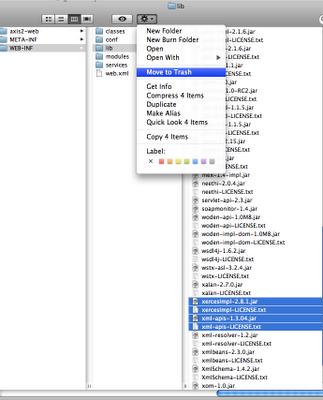
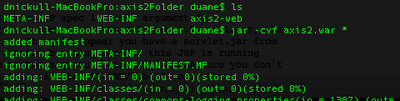
It actually did but lead to another problem (later). To get all the files back into a war, you have to do two things. The first is to use the command "jar -cvf
". Since I wanted to rename the output to axis2.war, I navigated to the directory holding the META-INF, WEB-INF, etc. files and rant the command "jar -cvf axis2.war *". This made the war file, which is essentially a *.jar file.
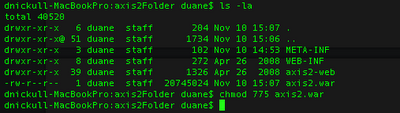
After this, on a Unix-based system, you have to change the permissions to ensure the file is usable by the app server. Use the chmod 775 command for that as shown below.
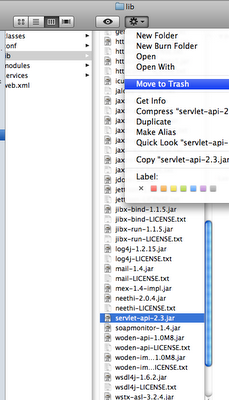
Figuring I had this problem licked, I started up the appserver. It started fine, however when I went to navigate to the http://localhost:8080/axis2/ URL, I got another error. This time is was a mismatch in impedance between the JSP servlet jars. The error comes out as "The method getJspApplicationContext(ServletContext) is undefined for the type JspFactory". The problem is that the build of axis2 I downloaded had an older version that did not have the same method. Once again, to rectify this, open up the axis2.war file and remove another file called "servlet-api-2.3.jar". Repackage the war file and chmod it so that it is executable by the app server.
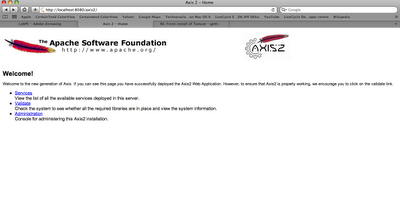
 JBoss 5 should start up perfectly and you should now see the happy axis page when you navigate to http://localhost:8080/axis2/ as shown below. Problem Solved!!